

The most demanding part of a professor's job is creating fair and efficient assessments for their students. In higher education, assessments matter even more because they have to be accurate and provide timely feedback to the learners. Professors want to focus on instruction and student support rather than endless grading and assessment design. This is where AI can become an intelligent partner for their manual workflows. Through its assistance, grading time can drop dramatically (~88 % reduction 1, with human verification included). Implementing this can result in higher productivity for professors and meaningful feedback for students that elevates learning. In this blog, we'll explore the latest AI assessments tools that professors can use to create high-quality assessments and provide personalized feedback.
How AI Assessment Tools Work
AI powered assessment tools employ advanced technologies to evaluate student work. Through data analysis, they process large amounts of student performance data and identify patterns (instructors might miss these details when they have to grade a lot of assignments). This helps pinpoint strengths and common learning gaps across a class. Many tools also rely on Natural Language Processing (NLP) to interpret open-ended responses. AI can sense the nuance in essays through NLP which evaluates grammar, coherence, structure, and even sentiment.
AI assessment tools also get smarter as they keep learning through machine learning (ML) algorithms. When trained on rubrics or sample responses, these models learn how to grade consistently. Some platforms go a step further with adaptive learning. They can adjust question difficulty in real time based on how students are performing.
How Using AI in Assessment Improves Learning
AI assessment tools not only improve the teachers’ workflow but help college students learn faster. Let’s look at how they can improve learning;
Accessibility
Students with disabilities receive a better learning environment as AI tools support their unique needs. Voice recognition, speech-to-text conversion, translation and multimodal interaction help with that. Creating alternative learning formats is difficult manually but it is easy for AI tools to accommodate these diverse styles and abilities. According to Luckin and Cukurova (2019), AI tools can harness a wide array of data rooted in learning sciences research, provide scaffolding for students, respond to their needs, and facilitate teachers' instruction. 2
Automated Grading and Feedback
Initial grading and basic feedback can be easily provided by AI assessment tools. This is why institutions are automating this process because instant feedback and student performance analytics boost learning. Students stay engaged when they don't have to wait for days for returned assignments. They can understand mistakes earlier while the material is still fresh. This timely response can help them make immediate adjustments to their concepts.
Automation
AI assessment framework takes a lot of manual work out of assessment design, delivery and evaluation. Professors can simply select reading they want to create the assessment on and the AI tool can take care of the rest. This includes grading as well as content difficulty adjustment. This way, teaching and mentoring become easier for teachers.
Data-Driven Decision Making
Student performance data is critical for instructors. AI assessment tools analyze this data to recognise and report these trends, gaps and strengths to professors. These insights allow for early intervention and targeted instruction. Overall course design also improves through these informed pedagogical decisions.
Improved Assessment Quality
As assessments become easier to generate, there's more frequent low-stakes assessments for continuous learning. The overall process becomes fair as each student receives nuanced evaluation of their responses. As a result, the learning outcomes improve because the AI aligns students to the pedagogical intent of the assignment. Some tools have advanced proctoring and AI detection which fosters transparency. When there's an intelligent feedback system in place, learner progress is measured accurately.
Increased Student Engagement
AI assessment tools create student-centered learning through interactive elements and self-paced pathways. It works to maintain their interest and provides round-the-clock assistance for instant feedback loops.
Personalization of Assessments
The one-size-fits-all approach of traditional assessments is not productive. It does not help all learners as they have their own different learning styles. AI assessment tools shift according to the student's learning profile and it allows them to work on weaker areas. This could not have been possible for professors to do manually for each student.
Personalized Feedback
Student growth requires meaningful feedback. It does not work with generic comments and AI assessment tools provide the tailored guidance that's needed for each student. Students then learn deeper and reflect on their own learning process.
AI-Resilient Assessment
As AI detection is becoming a futile method of cheating prevention, creating AI-resilient assessments is one of the biggest challenges in higher education right now. AI assessment tools can play a big role in making assessments authentic. When the assessment is in the process of design, the AI tools can help vulnerability to AI use and suggest alternative question types. In some cases, professors also need ideas for case studies that align with course goals and local context. This brainstorming and feedback can accelerate the process of creating AI-resilient assessments. Higher education is moving away from product-based grading to process-focused assessments and AI assessment tools can measure the student's thought process easily.
How to Choose the Best AI Assessment Tool
As a professor, you need to first assess the needs of your specific course and whether an AI assessment tool will fit your needs. Here’s a step by step to help you find the best AI for assessments:
1. Alignment With Learning Objectives
Keep the course outcomes in mind. If the AI assessment tool supports skills that you want to build, you should opt for that tool. The assessment types supported by the tool should inculcate the skills that you want your student to develop.
2. Curriculum & LMS Compatibility
LMS connectivity is essential. A good AI assessment tool should fit with the LMS you're using in your curriculum. In the end, you want your workflow to be streamlined so make sure the tool can sync grades and centralize data.
3. Data Privacy & Security
Make sure that the tool you choose has clear data handling policies. Protecting student and teacher data is very important. Compliance with educational privacy regulations is also important. US universities look for FERPA compliant tools and tools like Edvisor.ai are made to safely deploy AI coursepacks for them. This transparency build student-teacher trust as well.
4. Usability & Cost-Effectiveness
Try the tool first and see if the design is user-friendly. Adoption and onboarding gets easier that way (for both, teachers and students). Consider the long term value of the product in terms of student outcomes, time saved, etc. Having a reliable tech support team is also essential.
5. Key Features That Matter
Some features you should prioritize for higher ed learning needs are:
- Automated grading and instant feedback
- Plagiarism detection
- Adaptive or customizable testing
- Robust analytics
- Flexible submission formats.
These features help you run fair, efficient, and engaging assessments that support diverse learners.
How to Implement AI Assessment Tools in Your Curriculum
Changing your assessment delivery can be overwhelming. Let’s look at a comprehensive of list of things to consider when you start implementing AI assessment tools in your curriculum:
- Identify the Needs: Ask yourself what you want to improve (student engagement, personalized learning, etc.). Then, research and identify the tool that does that well.
- Assess Resources: In order to ensure successful adoption, make sure the infrastructure and readiness for training exists. There should be enough budget so that students and teachers can learn the new system
- Choose Tools Thoughtfully: The tool should fit your workflow so pilot the tool first. See if it integrates with your LMS and meets the right data privacy requirement. To do this, you will have to compare some AI tools and technologies which we'll see in the next section
- Prepare and Inform Students: Provide a demo to students on how to use the tool for maximum benefits. They will be able to use it to support their learning and feel comfortable with it. Answer their concerns regarding data privacy too.
- Integrate AI Gradually: Start small. Use AI to automate simple tasks first. For subjective work, combine AI-generated work with your own professional judgment. Edvisor makes this simple by providing the teacher a chance to verify the feedback before the student receives it.
- Maintain Pedagogical Integrity: AI-powered assessments still need the human touch to make sure they are aligned learning objectives. Mix question types and include opportunities for higher-order thinking.
Top 10 AI Assessment Tools for Higher Education
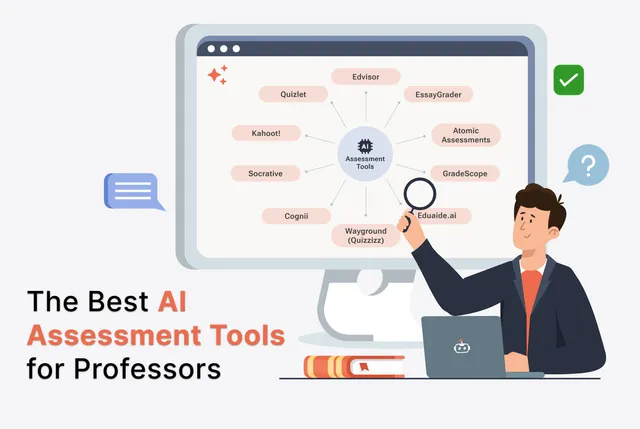
To help you choose the best AI assessment tool for you curriculum, we have reviewed the 10 best assessment platforms for teachers:
Edvisor
Features:
- Built in AI assessment generator that creates quizzes, discussions, and short-answer or essay-style questions directly from your syllabus and learning objectives.
- Supports assignments across Bloom’s Taxonomy. Professors move beyond just multiple-choice into analysis, evaluation, and creation-level tasks.
- Automatically builds course-aligned modules and readings. Also ensures assessments stay tightly linked to curriculum goals.
- Includes a 24/7 AI learning assistant that gives students personalized help, formative feedback, and clarification on readings and assessment tasks, boosting engagement and persistence.
- Provides AI-enabled readings (“smart textbooks”) with highlight-and-explain functionality. Reflection questions, and built-in practice, turns content into ongoing, low-stakes assessment opportunities.
Limitations:
- Edvisor is designed as an AI coursepack layer rather than a full LMS, so institutions still rely on their existing LMS for things like full course administration and enterprise-wide configuration.
- It’s best suited for business, humanities and social sciences.
- The platform does not currently offer remote proctoring.
Pricing:
- Instructors: Always free to adopt Edvisor for their course (similar to adopting a publisher textbook).
- Students: Pricing starts at $15 to access Edvisor-enabled courses and a suite of 30+ AI tools, with the company estimating students save around $75 per term compared to traditional materials.
Ready to Try Edvisor?
EssayGrader
Features:
- Teachers can use custom rubrics or the library of 500+ rubrics to align grading to standards and get feedback reports. It's a good AI grader for teachers
- Ensures fair essay grading by removing bias and aligning with all 50 state standards.
- It allows bulk uploading essays for your whole class.
- Ensures originality in essays by identifying AI generated content.
- Built for educators in K-12 and higher education
Limitations:
- 25 essays per month is the limit for the free plan.
- Advanced features require a paid subscription.
- Built for essay based subjects like English, Social Sciences and History.
- Supports essay and paper type questions
Pricing:
- Free plan: For those who want to test EssayGrader. You can grade up to 25 essays a month.
- Lite plan - $8.99/mo: For those who don't grade a ton of essays.
- Pro plan - $19.99/mo: For educators grading a lot of essays per month. This is the most popular one.
- Premium Plan - $49.99/mo: For busy educators needing full access to extensive features.
- You can save 30% by billing annually.
Atomic Assessments
Features:
- Easily integrates with Learning Management Systems, making implementation and usage easy on educational platforms.
- You are able to formulate assessments that mirror real life
- Real-time data and analytics allow for targeted interventions.
- You can create interactive questions with over 40 advanced formats such as drag-and-drop, and image labeling etc.
- Atomic Assessments is designed per WCAG and Section 508 standards, with keyboard navigation, screen reader compatibility, alt text support, and much more.
- Caters to K-12, higher education and corporate training.
- It’s mostly subject-agnostic but has support for STEM, business and healthcare subjects.
Limitations:
- It is an add-on tool that has been created to enhance your existing LMS rather than function as a full learning management system itself.
- While it integrates with proctoring tools, it does not have native plagiarism detection software.
Pricing:
- Pricing disclosed upon contact.
GradeScope
Features:
- You can apply detailed feedback with just one click and make rubric changes that apply to previously graded work.
- You can see question and rubric-level statistics to better understand what your students know.
- It also allows you to return graded assignments with a single click and handle regrade requests online.
- You can grade groups of similar answers at once. For some question types, Gradescope AI automatically forms groups for you to review.
- Gradescope can grade variable-length assignments (problem sets & projects) as well as fixed-template assignments (worksheets, quizzes, bubble sheets, and exams).
- It works across many disciplines but highlights the following:
- Computer Science
- Physics
- Math
- Chemistry
- Biology
- Engineering
- Economics
Limitations:
- It doesn’t keep watch over students’ browser activities which creates gaps in its potential to address dishonest actions in remote learning situations.
- No explicit built-in tool to determine if AI tools like ChatGPT or Gemini were used to generate a student's work.
- Pricing is not per student or per instructor.
Pricing:
- Gradescope offers two plans called Gradescope Basic and Gradescope Institutional, but their pricing is available only through contact.
Eduaide.ai
Features:
- Effective lesson designs built on proven methods.
- It has over 110 educational resources available for creation. You get the most complete collection of assignments, activities, games, and graphic organizers for real learning.
- With Eduaide's AI assistant, Erasmus, you can transform new or familiar materials into custom activities that support every learner.
- Designed for K–12 teachers, IEP teams, and MTSS leaders but not purpose-built for higher education.
Limitations:
- It is not designed for teachers to use AI to grade student work.
- It is intended as a co-pilot to save teachers time, not to replace them entirely.
Pricing:
- Eduaide Free: Perfect for learning how Eduaide works and deciding if it's right for you.
- Eduaide Pro - $5.99/ month, billed monthly: Ideal for anyone who wants to use Eduaide for planning and differentiation with no limits.
- Schools & Districts - Custom: Flexible to your needs
Wayground (formerly Quizzizz)
Features:
- Access a library of resources that are standards-aligned and mapped to your curriculum.
- You can use AI to differentiate any material so that it’s just-right for each student.
- Import and customize your own trusted materials with dozens of question types and formats.
- You can make 25+ modifications according to the needs of each student.
- Can handle the following subjects:
- Math, science, technology, and engineering
- English/language arts and reading
- Social studies and humanities
- Languages and general education topics
Limitations:
- It does not provide a curriculum that covers all subjects and grades.
- Does not provide deep summative feedback on essay type assessments.
- Designed as a supplemental tool for schools but can be used in higher education
Pricing:
- Starter plan: Limited access to interactive question types
- School and District Plan: Get unlimited access plus accommodations, integrations, and standards-alignment upgrades for students and teachers.
- Quotes are available on contact.
Cognii
Features:
- Cognii Virtual Learning Assistant is a tool that engages a student in chatbot-style learning conversations.
- Allows open-response questions are ideal for developing and assessing deep conceptual understanding.
- Cognii’s high-resolution analytics reveal knowledge gaps and give accurate insight into deep learning
- Cognii offers adaptive, personalized learning experiences that are based on highly accurate assessment.
Limitations:
- Cognii operates on a quote-by-quote, sale-by-sale basis for institutions (K-12 schools, universities, corporations), with no widely published, standardized pricing or free tier for general users.
Pricing:
- Contact for pricing.
Socrative
Features:
- It supports automated grading and targeted support.
- Offers real time question feedback.
- Flexible reports and exports option lets you craft summary sheets, and detailed faculty reports etc.
Limitations:
- It might be better for only some sorts of assessments, as testing some language abilities is difficult using multiple-choice questions and short answers.
- The free plan has a limit of fifty students to participate in a quiz at a time.
Pricing:
- Free plan: For individuals just getting started.
- Essentials - $10 seat / month and $ 120 billed annually (after annual discount): For individuals assessing a small number of participants.
- Pro - $15 seat / month and $ 360 billed annually (after annual discount): For teams assessing at scale with advanced tools.
- Organization - $14.40 seat / month and $ 172.80 billed annually (after annual discount): For organizations standardizing and scaling assessments across multiple teams.
- Free for Students: Socrative is 100% free for students to use, on all devices.
Kahoot!
Features:
- This game-based learning site has an AI-powered quiz generator that boosts productivity by creating instant quizzes from topics, websites, Wikipedia articles etc.
- You can save time by generating new questions from slides or PDFs.
- Allows you to maximize your study time by transforming handwritten notes into quizzes and flashcards.
- PDFs can be transformed into stories to make content more engaging.
Limitations:
- It is a group-based quiz platform.
- Many of the education and business plans are billed annually, with monthly payment options not available for all tiers
Pricing:
- Kahoot! Plus Bronze - $8 billed monthly: Best for everyday learning and reviewing. Create quick quizzes, exit tickets, and generate content with AI.
- Kahoot! Plus Silver - $15 billed monthly: Best for presentations and feedback. Drive participation and incorporate responsive teaching with student-centered features.
- Kahoot! Plus Gold - $25 billed monthly: Best for supporting learning mastery. Enhance your students’ learning experience with the full AI-powered toolkit.
- Kahoot! Plus Pro - $35. Best for the ultimate experience. Supports learning for the whole family, and hosts large immersive game nights.
Quizlet
Features:
- You can turn your existing documents into flashcards and study guides.
- Use your teaching material to power games.
- Allows for in class activities by launching self-study sessions.
Limitations:
- Functions as a study and practice tool and not a formal assessment platform
- The free version includes ads.
- You cannot use Quizlet offline without a paid subscription.
Pricing:
- Free with limited features.
Quizlet Plus:
- Annual Subscription Plan - $44.99 per year.
- Monthly Subscription Plan - $9.99 per month.
Quizlet Plus for teachers - price not publicly available.
How to Use AI Assessment Tools in Edvisor
Edvisor offers AI built for higher education needs as it allows students to learn better and develop skills that make them ready for the AI age. Once the syllabus and learning material is uploaded on the platform, readings are automatically generated. As the AI is curriculum aligned, assessments are generated according to the objectives set by the professor. The professor’s dashboard is used for assessment creation. In the ‘Quizzes’ section, click Create Quiz to begin creating the assessment.
Step 1: Click Create Quiz
Pick Generate with AI or Create custom questions. Name the assessment. Then, choose the assessment from the list to edit and create it with the help of AI. There is a range of course materials that the professor can choose from when generating the assessment. The options for assessment formats are:
- Multiple choice questions
- True/False
- Fill in the blank
- Short Answer
- Fill in the table
Step 2: Customize the Parameters
When AI quiz generation is selected, the professor needs to set quantity, mastery level, difficulty, and points. After this, the questions will automatically be generated
Step 3: Review and Refine
Any item can be edited by hand or through AI to polish wording and clarity.
Step 4: Configure Assessment Options
Toggle features like detect AI content, grade recovery (earn back points by showing mastery), allow skipping, show explanations, enable retakes, reveal answers after a set time, and shuffle questions.
After the assessment questions are ready, professors can enable different AI features to make the assessment more transparent and engaging. Some of these features are:
- Grade recovery (allows students to earn back points by showing mastery
- AI content detection
- Allow skipping
- Show explanations (this makes students learn from mistakes instantly)
- Reveal answers after a set time
- Shuffle questions
- Enable retakes
Step 5: Assign
Assign the assessment to your students.
When the student completes the assessment, the AI automatically grades the assessment and provides them feedback. The professor can view an in-depth analysis of the student’s response in the ‘Report’ section.
Besides this main AI assessment creation tool, there are many other AI assessment tools for teachers that they can use in their daily workflows. Similarly, there are AI tools accessible for students’ learning support.
Assess Smarter with Edvisor
In higher education, AI tools are gaining attention for their ability to create adaptive learning environments that respond to students’ abilities and pace of learning. 2 The best AI for teachers doesn’t just speed up grading; they align with learning outcomes, respect data privacy, and help professors design assessments that actually measure thinking, not just recall. From rubric-based graders to quiz generators and analytics dashboards, each platform in this guide offers something useful, but most were built for general K–12, corporate training, or test prep, not the specific demands of higher education.
Edvisor is different by design. It’s built for universities. The professor just needs to provide a curriculum and it turns into a complete coursepack, which automatically creates quizzes, and higher-order assessments that stay true to learning goals, while remaining FERPA-compliant and using only verified sources. Professors keep full control over questions, feedback, and grading settings, and students get richer engagement, instant explanations, and authentic, AI-resilient practice.
If your institution is serious about reducing workload and strengthening assessment quality, Edvisor is the most future-proof option on this list. Explore Edvisor for your next term - pilot it in one course, compare the time saved and engagement gained, and see what AI looks like when it’s built around higher education, not the other way around.
FAQs
Can I Use AI for Assessment?
Generative AI can quickly generate large amounts of content. This makes it a powerful assistant for creating assessments and other teaching materials. It works best when instructors use clear, well-structured prompts, turning AI into a genuine thought partner rather than just a content factory.
Which Assessment Tools Offer AI-Powered Scoring?
There are many assessment tools that provide AI powered scoring. Some cater to hiring needs or specific tests but there are very few platforms that are built for higher education needs. Edvisor is perfect for this as it aligns grading with learning outcomes.
Which AI Tool Is Best for Assessment?
The best AI assessment tool depends on what outcome you want. Tools like PMaps and Pymetrics work well for psychometric/cognitive fit, Vervoe, Testlify, and TestGorilla are great for skills-based screening, HireVue supports structured high-volume evaluation, iMocha offers broad skill libraries, and HackerRank is best for coding tests. But for academic assessments tied to learning objectives, Edvisor is the best option because it’s grounded in your course material, helps create AI-resilient assessments, and integrates easily with LMS platforms.
Citations
- Paz, H. R. (2025, October 25). Hybrid Instructor AI Assessment in Academic Projects: Efficiency, Equity, and Methodological Lessons. arXiv.
- Cai, L., Msafiri, M.M. & Kangwa, D. Exploring the impact of integrating AI tools in higher education using the Zone of Proximal Development. Educ Inf Technol 30, 7191–7264 (2025).