

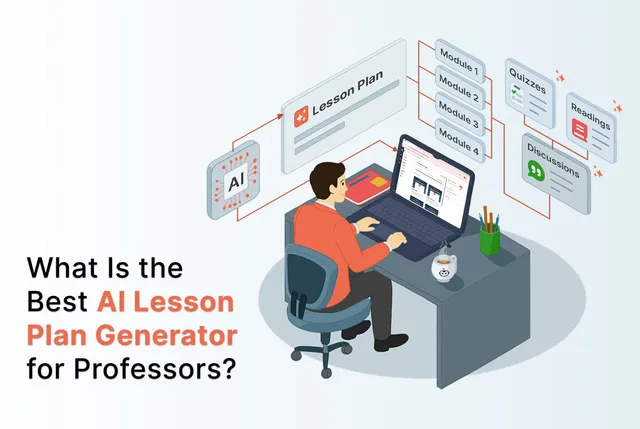
Thoughtful lesson planning requires time. Professors spend hours doing this to achieve the perfect quality while maintaining the intent for each lesson. Many AI lesson planning tools promise a faster way to generate ready-to-use lesson plans but their outputs are not aligned to the standards of the course. Every professor has their own teaching style and creativity and using AI can sometimes limit that expression.
An AI lesson plan generator can help them find resources quickly but it should also balance the main goals of their course. This blog will help you explore the AI lesson plan generators so you can opt for the one that understands your curriculum.
What Is an AI Lesson Plan Generator?
An AI lesson plan generator can brainstorm for the teacher. They can share topic, grade level, and required standards, and it quickly creates a complete lesson outline. Tasks that once stretched across an hour or more can now be handled in just minutes.
These tools juggle multiple planning needs at once. While teachers focus on learning objectives, the AI can take care of these time-consuming sub-tasks:
- Checking grade-level expectations
- Adapting activities for different reading abilities
- Suggesting ways to support diverse learners.
The human touch is always needed so there is an option to refine to personalise the flow of the lesson. The AI delivers a strong starting point, and the professor’s understanding of your students brings the lesson to life.
Challenges Teachers Face When Lesson Planning
There’s so many things that professors have to deal with - administrative work, research, meeting and advising. It's impossible to give each lesson the proper attention that it deserves. Here are some of the factors that affect lesson planning:
- Time pressure: Creating good quality lessons doesn't only require meeting learning objectives. It demands constant alignment checks- with the department, accreditation requirements.
- Differentiation demands: As each student learns at a different pace, lesson contents need to be adapted in the form of leveled readings and scaffolded tasks.
- Resource searching: Lesson content needs to be engaging and to find the right materials is very time-consuming. Professors also worry about the authenticity of the material which makes this search intensive.
- Creative fatigue: Lesson planning is a creative process, yet the workload of administration makes it exhausting. Looking for new ideas removes the joy from this process.
Why Use AI to Create Lesson Plans
Here’s how using AI for lesson plans can support professors in their every day workflows:
- Save valuable time: As mentioned above, lesson planning is a demanding task but if professors can outsource the structuring and resource searching to AI, it can save hours from the week. This time can be invested for actual student support and feedback. Teachers reported that AI tools improved their efficiency during the initial stages of lesson planning. This helped them focus more on instruction and student engagement.
- Support differentiation with ease: Differentiation is a task that multiplies the workload of a professor. Every student needs attention so adapting to different learning levels is also important. AI tools can do this much faster.
- Ensure built-in standards alignment: AI lesson planners can use the standards used as input to make lessons compliant with curriculum requirements. Lesson plans generated by ChatGPT were analysed using the 5E instructional model, and researchers found that plans mostly aligned with this established pedagogical framework. When more detailed prompts were used, the quality and alignment further improved.
- Create materials instantly: Professors don't need to spend time making slides, worksheets and quizzes. AI generated lesson plans include these resources with minimal input from the professors.
Explore practical ways to make assessments AI-resilient
What to Look for in an AI Lesson Plan Generator
- Curriculum alignment and standards support: Choose AI lesson plan generators that align with academic institutional learning outcomes and discipline-specific competencies.
- Editable lesson content: Make sure that the AI output is editable. This means means you should be able to review and change content and export it to whichever format you need.
- Adaptive learning: Use platforms that can accommodate different student needs.
- Multi-functionality: AI lesson planning platforms that offer a holistic set of tools for professors like slide creation, visual enhancement, or even assessment creation should be preferred.
- IP protection: Make sure that the tool you purchase is FERPA compliant and does not use your data inputs to train AI models.
Comparing AI Lesson Plan Generators for Teachers
Here is a comparison of popular AI lesson plan generators to help you identify the most effective option for your teaching context. We've reviewed how each tool supports real classroom needs, from time efficiency and standards alignment to practical flexibility and ease of use.
Edvisor.ai
Features:
- You can not only create a lesson plan with just a few key inputs (like a course description), but also generate multimodal and interactive course content.
- Trains AI on your verified syllabus and approved course materials for accurate, outcome-driven content.
- FERPA compliant platform that protects the professor’s IP
- Supports assessment creation, AI grading and instant feedback in one platform.
- To support engagement, it also includes an AI tutor that guides students through concepts. 86% of students reported higher engagement with course content when using Edvisor.
- The discussion feature allows professors to reliably measure student learning outcomes.
- The Grade Recovery feature allows students to thoughtfully correct misunderstandings and strengthen mastery.
- Integrates with LMS platforms via LTI for a seamless instructor workflow.
- Edvisor provides built-in accommodation suggestions and a text scaffolder to help professors quickly adapt content for different student needs.
- It includes multi-language support to better serve ESL learners and improve accessibility across diverse classrooms.
- The platform also offers a range of AI tools to support daily teaching workflows, including an IEP generator, rubric generator, and UDL-based choice boards.
Limitations:
- Designed for structured, curriculum-led teaching rather than quick, standalone lesson plan creation.
Pricing:
- Starts at $15 per student, offering significantly higher value compared to single-feature AI lesson planners.
Ready to Try Edvisor?
Canva
Features:
- Canva’s AI lesson plan generator allows you to easily create lessons and share materials you need for class via a single platform.
- The AI powered lesson plan generator (Magic Write) helps create objectives, assessments and educational materials in a single workflow.
- You can also turn your lessons into a course which can be customized with your own templates, dynamic graphics and other activities.
Limitations:
- It’s not a specialist lesson planner, hence some classroom specific features are not as in depth as other dedicated tools.
- The AI output is tied to Canva’s templates so you may need to manually adjust complex curriculum mapping.
- Plans must be reviewed for pedagogical biases1 that limit student agency and choice
Pricing:
- In Canva for Education, the AI lesson plan generator is 100% free. This includes full access to design tools, premium content, and classroom resources.
- Pro plan is for US $4/month where a paid subscription is required to unlock premium features.
- Enterprise plans can be customized by getting in touch with the sales team.
MyLesson.AI
Features:
- Mylesson AI helps you to generate lesson plans and assessments.
- You can create quick quizzes to complement your lessons as well.
- Offers widgets and exports to PDF/Docs/Powerpoint, which is a useful feature.
Limitations:
- The free plan offers less features.
- Collaboration tools are limited. It tends toward a teacher-centered design, limiting student dialogue opportunities.
Pricing:
- The free plan offers 3 lesson plans and 3 assessments.
- Pro plan offers 100 lesson plans, 50 assessments, 25 quiz builders and other features starting from US $29.
- Enterprise plans can be customized by getting in touch with the sales team.
Easy-Peasy AI Lesson Plan Generator
Features:
- Template driven AI tool with 200+ templates for various outputs, multi language support and image/video credits.
- Offers high quality tailored content for your classroom.
- Good for quick drafts, fast generation and simple editing.
Limitations:
- It is a general AI content tool rather than a specialized curriculum tool.
- Content is general-purpose, requiring extensive prompting to meet specific educational standards.
Pricing:
- A free plan is available.
- The starter plan is for US $16 per month.
- Unlimited 50 plans are for US $24 per month.
- The most popular unlimited plan is for US $32 per month.
- You can save 50% on all the above plans with yearly billing.
MagicSchool AI Lesson Plan Generator
Features:
- Teacher-focused tool kit with a dedicated lesson plan generator.
- Includes new teacher support, customization and standards alignment.
- Has different features for school/district administration as well.
Limitations:
A research on Pedagogical Biases in AI-Powered Educational Tools: The Case of Lesson Plan Generators1, highlighted the following limitations:
- Lesson plans rely heavily on rote learning and direct instruction.
- When discussions are included, they are short and do not continue through the lesson, limiting deeper learning.
- It rarely includes goal-directed behavior, shared authority or meaningful student agency.
Pricing:
- Free plan forever for individual teachers.
- Plus plan for USD $8.3/user/mo (billed annually) and USD $12.99 billed monthly for power users who want unlimited tools and advanced features.
- Enterprise plan which can be customized for district leaders.
Brisk teaching
Features:
- Helps in creating classroom-ready lesson plans on any subject for any grade level with language options.
- Provides curriculum and differentiation helpers.
- Has built-in standards to save you research and you can also tailor your lesson plan to meet your unique classroom needs.
Limitations:
- Opportunities for dialogue and student-led discussion are menial which weekend conceptual understanding.
- It prioritizes efficiency and information delivery over creativity and exploration.
- Extension based workflow may be less convenient for teams that prefer LMS integration.
Pricing:
- Brisk Educator Free includes core features and Brisk Boost student activities.
- Brisk for Schools and Districts has custom pricing to unlock the full Brisk experience with advanced features, standards integration, data dashboards, custom tool creation, and more.
Musely
Features:
- Automatically aligns lesson plans with educational standards and learning objectives.
- Offers customizable template options where you can choose from various grade levels, subjects, and teaching formats.
- Helps you create appropriate content from Pre-K through university level.
- You can use it as a daily lesson plan generator and create learning objective lists, activity worksheets, assessment materials, differentiated instructions and home work assignments.
Limitations:
- Content is general-purpose, requiring extensive prompting to align with the depth of curricular detail.
- Lesson planning components may be less curriculum specialised compared with dedicated K-12 planning tools.
Pricing:
- The free plan offers access to all basic AI tools.
- Professional plan is for USD $4.99/ month and USD $59.9/year when billed annually.
- Creator plan is for USD $9.99/ month and USD $119.9/year when billed annually.
- The business plan is for USD $79.90/ month and USD $959/year when billed annually.
ClassPlanner.ai
Features:
- Offers Instant AI document generation for your classroom.
- Has multi-language support for all teachers.
- You can get instant feedback and ideas generated by the AI to enhance your teaching materials.
Limitations:
- It is a project originated tool as it was created as an entry to the Gemini API Developer Competition.
- High service demand on the free service can cause delays as it is self funded with limits to the expenses that it can handle.
Pricing:
- Free with basic plans available.
- Pricing not publicly listed.
PlanAI
Features:
- Offers AI Auto Generation where you can enter keywords to create complete lesson plans instantly.
- Allows for customization to modify plans to suit your needs after generation.
- Resource Integration option to link lesson plans with resources like videos and materials.
Limitations:
- Credit based model so wavy users would need to manage credits.
- Deep district integrations may require contact as the functionality is straight forward.
Pricing:
- Monthly Plan is for USD $9.99/month and includes 100 Credits per month.
- Quarterly Plan is for USD $27.99/quarter and includes 350 Credits per quarter.
- Yearly Plan is for USD $99.99/year and includes 1500 Credits per year.
Radius
Features:
- Includes a variety of teaching methodologies and standard aligned lessons.
- Has ready to use task cards where you can choose a design and print out engaging task cards generated for your lesson.
- Offers interactive games, designed slides and printable worksheets.
Limitations:
- Credit per tier limits apply to heavy users.
- Some advanced features are offered in paid plans.
- AI outputs can be highly variable, requiring teachers to revise content for accuracy and pedagogical soundness.
Pricing:
- Freemium with 50 free credits.
- Basic for USD $16.99/month for 200 credits.
- Master Planner for USD $26.99/month for 1000 credits.
AutoClassmate
Features:
- Enables you to create a highly-customizable, editable, and unique lesson plan to implement in your classroom.
- It is powered by GPT-4 and easily aligns your lesson plan with state standards.
- Allows for conversations about your lesson plan with its AI-Powered instructional coach chatbot.
Limitations:
- Insufficient attention to metacognition and self-regulation.
- Premium membership required for fuller features.
- According to research, educators should carefully consider student feedback that is automatically generated by GenAI and adapt it to ensure that it is not only accurate but also constructive and pedagogically meaningful.
Pricing:
- Individual educator pricing is USD $10/month.
- Custom pricing available for schools/districts
Eduaide.AI
Features:
- Helps you develop graphic organizers, educational games, and high-quality instructional materials.
- Has effective lesson designs built on effective methods.
- Expanding resource library with over 110 educational resources available for lesson creation.
Limitations:
- Free tier is limited.
- Advanced or school wide features require a paid plan.
Pricing:
- Eduaide Free is for USD $0/ month billed monthly. It’s perfect for learning how Eduaide works and deciding if it's right for you
- Eduaide Pro is for USD $5.99/ month billed monthly. It’s ideal for anyone who wants to use Eduaide for planning and differentiation with no limits.
- Schools & Districts plan pricing is custom to make it affordable and flexible to your needs.
SlidesGo AI Lesson Plan Generator
Features:
- Offers ready to use slide templates.
- The lesson plan generator asks for grade, classroom setting, language and topic and generates a ready to teach lesson plan.
- Easy to export to PPT and Google Slides.
Limitations:
- The free plan has very limited generation capacity.
- It focuses on lesson to slide workflows instead of deep curriculum mapping.
Pricing:
- Free with limited features,
- Slides premium has different rates when billed monthly and annually and you can save 69% when billed annually for USD $35.99.
Monsha AI
Features:
- You can import and re-use your existing materials, notes, external references etc to create more relevant teaching resources.
- Allows you to differentiate and expand to easily adapt any resource for different students.
- You can export directly to Google Classroom, Google Workspace, or Microsoft tools.
Limitations:
- Operates on an AI credit system (limiting generation capacity).
- Some advanced integrations or scale pricing may require contacting Monsha.
Pricing:
- Free for light use and exploring AI.
- Pro is the most popular for individual teachers needing serious AI help. It’s for USD $20 / seat / month ($240/year).
- Team plan is for group of teachers who need more collaboration and more AI for $144 / seat / year (Annual billing only)
- Enterprise plans can be purchased with custom pricing for schools, districts, institutions, or teams seeking bulk licenses.
ChatGPT AI lesson plan generator
Features:
- Accommodates the unique needs of any classroom to help a teacher come up with compelling, interactive lesson plans.
- You can use it to create lesson plans for any grade, including special education classrooms.
Limitations:
A research1 conducted on the tool mentioned these limitations:
- It produces lesson plans that are teacher driven, with instructions like “divide students into groups” without giving them autonomy.
- Dialogue-rich learning phases are almost completely missing.
- Limited support for student goal setting and agency as the focus is more on structured tasks.
Pricing:
- Free (GPT-3.5)
- ChatGPT Plus for USD $20/month.
How Edvisor Fits into Your Teaching Workflow
Edvisor doesn’t only offer lesson plan creation. It creates a complete course using AI that’s aligned on your curriculum. Let’s see how you can create a lesson plan inside Edvisor:
Step 1
Go to the ‘AI Tools’ section and select the ‘Lesson Plan Generator’ tool
Step 2:
Enter your course name, number of modules and number of examinations. Select the grade level and add any additional instructions regarding your course.
Step 3:
Click ‘Generate Lesson Plan’ and you’ll get an entire syllabus for your semester!
Once the teacher gets the lesson plan, it is simply uploaded and the AI understands your course structure and learning goals. From there, it generates rich, multimedia readings and assessments that you can easily review and customize. Once confirmed, those readings are transformed into complete lecture slides with visuals, podcasts and video suggestions.
Accelerate Your Teaching Workflow
While many AI tools for lesson planning promise speed and convenience, only a few understand the deeper architecture of learning: the careful balance between structure and creativity, efficiency and intention, automation and human judgment. The best AI for lesson planning does not replace the professor’s voice. It amplifies it. It respects the curriculum, protects intellectual property, and supports students in thinking more deeply rather than simply moving faster. Platforms like Edvisor point toward a future where technology does not dilute academic rigor, but strengthens it, where AI becomes less of a shortcut and more of a companion in the long, careful work of teaching.
Citations
- Chen, B., Cheng, J., Wang, C., & Leung, V. (2025). Pedagogical biases in AI-powered educational tools: The case of lesson plan generators. The Future of AI in Education: Innovation and Insights, 30.